¶ Using the Mini Program
¶ Find the Mini Program
Open WeChat, search for “极趣空间” (ZECTRIX Space), and open our Mini Program.
Alternatively, scan the QR code below.

¶ Link Your PC Account
If you have already registered on the ZECTRIX Cloud platform, open “我的 → 账号密码” (Me → Account and Password) in the Mini Program and link your PC account.
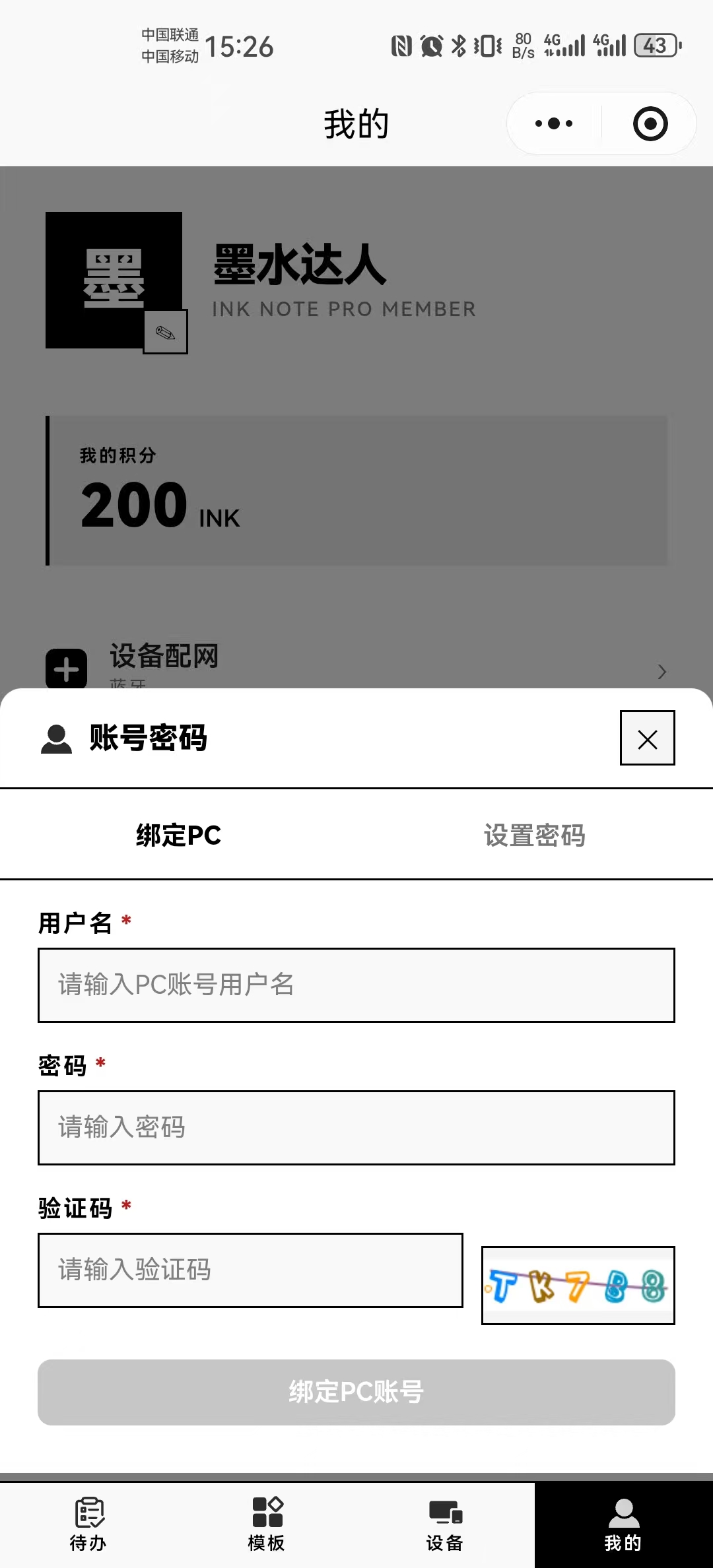
Once linked, your platform points and devices are carried over to the Mini Program automatically.
¶ Configure the Device Network
The Mini Program supports network setup for devices running version 3.2.x or later. Earlier versions cannot add devices through the Mini Program, but they still support device management, image delivery, and other features.
On the sticky note, open “设置” (Settings) and select “重新配网” (Reconfigure Network). Then open “我的 → 设备配网” (Me → Device Network Setup) in the Mini Program. It will automatically detect the device's Bluetooth signal and scan for nearby 2.4 GHz Wi-Fi networks. Enter the Wi-Fi password to complete setup.
¶ Send Images from the Mini Program
Before sending an image, make sure the device's sync interval is enabled. The image will appear on the device only after the next scheduled sync. For testing, set the interval to 1 minute. After confirming that the image was delivered successfully, restore the normal 60-minute or longer sync interval.