¶ Community Firmware for ZECTRIX NOTE4 and NOTE4C
Catalog additions on 2026-11-02: Macau Bus, PaperTalk-ESP32, Zectrix-claw and NOTE4C Devkit × Tesserae. These are firmware projects, not official-firmware plugins.
This catalog covers community-maintained firmware for ZECTRIX NOTE4 and NOTE4C e-paper hardware, including voice assistants, information dashboards, offline tools, photo galleries, and TRMNL clients. Each entry links to its upstream project and records model compatibility, build targets, licenses, and flashing notes when available.
Data collected: May 31, 2026 (ranking stars last updated at 16:54 on May 31, 2026)
Additional updates: vibecoding-plus added on July 7, 2026; TransitInk OS added on July 23, 2026; xiaozhi-zectrix added on July 27, 2026; Today Is Friday? and TRMNL Firmware added on July 29, 2026; TRMNL v1.8.10 release details and a NOTE4 device photo added on August 4, 2026; Zectrix NOTE4 4BP Gallery added on August 13, 2026; emini Home added on September 14, 2026; Hearth added on September 16, 2026; FourColor Ink (DennisGaida) added on September 20, 2026; Paperwake added on September 21, 2026; Zaino added on September 28, 2026Model notice: NOTE4 uses a 400 × 300 monochrome e-paper panel, while NOTE4C uses a 400 × 300 four-color panel. Their display drivers and firmware images are not interchangeable. Before flashing, verify the device model, branch, and build target, and back up the factory flash. Projects that support both models are listed in both indexes.
¶ Firmware for NOTE4 / 4.2-inch monochrome display
| No. | Project | Developer | Stars | Language | Category | Link |
|---|---|---|---|---|---|---|
| 1 | vibecoding-voice | mac20777 | 21 | C | Voice-driven coding remote | GitHub |
| 2 | Vocabulary Trainer | li-wendian | - | C | Vocabulary trainer firmware | GitHub |
| 3 | Household Ledger (Maintenance paused) | quellogs (anonysoul) | 5 | C | Household accounting firmware | GitHub |
| 4 | Slate · Ink Note | qiujun8023 | 4 | C | Full-stack e-paper framework | GitHub |
| 5 | vibecoding-plus | MaydayV | 0 | C / Swift | Voice-driven AI coding assistant | GitHub |
| 6 | TransitInk OS | Zerie55699 | 1 | C++ / Python | Hong Kong transit arrival dashboard | GitHub |
| 7 | xiaozhi-zectrix | cattei | 0 | C++ | XiaoZhi AI voice-assistant firmware | GitHub |
| 8 | TRMNL Firmware | LitoMore / TRMNL | 2 | C++ | TRMNL e-paper client | GitHub |
| 9 | NOTE4 16-gray Gallery (4BP) | LazyYoun | 0 | C / Python / TypeScript | 16-gray gallery and NAS photo delivery | GitHub |
| 10 | Hearth | shantanugoel | 1 | C++ / Python | Household memory board and voice assistant | GitHub |
| 11 | Macau Bus Arrival Display | csloz | — | — | Community firmware | GitHub |
| 12 | PaperTalk-ESP32 | JAGU | — | — | Community firmware | GitHub |
| 13 | Zectrix-claw | kaposon-netizen | — | — | Community firmware | GitHub |
¶ Firmware for NOTE4C / 4.2-inch four-color display
Development-guide reference: NOTE4C Four-Color Reference Firmware, maintained by LazyYoun and used in the official NOTE4C development guide. This is a separate project from the NOTE4 16-gray Gallery (4BP).
| No. | Project | Developer | Stars | Language | Category | Link |
|---|---|---|---|---|---|---|
| 1 | Today Is Friday? | eyaeya | 1 | C | Low-power novelty calendar | GitHub |
| 2 | TRMNL Firmware | LitoMore / TRMNL | 2 | C++ | TRMNL e-paper client | GitHub |
| 3 | emini Home | fiedoruk | 1 | C | Weather, headline, and note dashboard | Website · GitHub |
| 4 | FourColor Ink | DennisGaida | 1 | C++ / Python | Gallery, weather, and busy-light display | GitHub |
| 5 | Paperwake | alexclmy | 1 | C/C++ / TypeScript | Local-first dashboard and composer | GitHub |
| 6 | Zaino | filippocobelli | 1 | C / Python | School timetable, backpack, lunch, and weather dashboard | GitHub |
| 7 | NOTE4C Devkit × Tesserae | varanu5 | — | C | Tesserae | GitHub |
¶ 1. vibecoding-voice
Author: mac20777
Last updated: 2026-05-06
Link: https://github.com/mac20777/vibecoding-voice
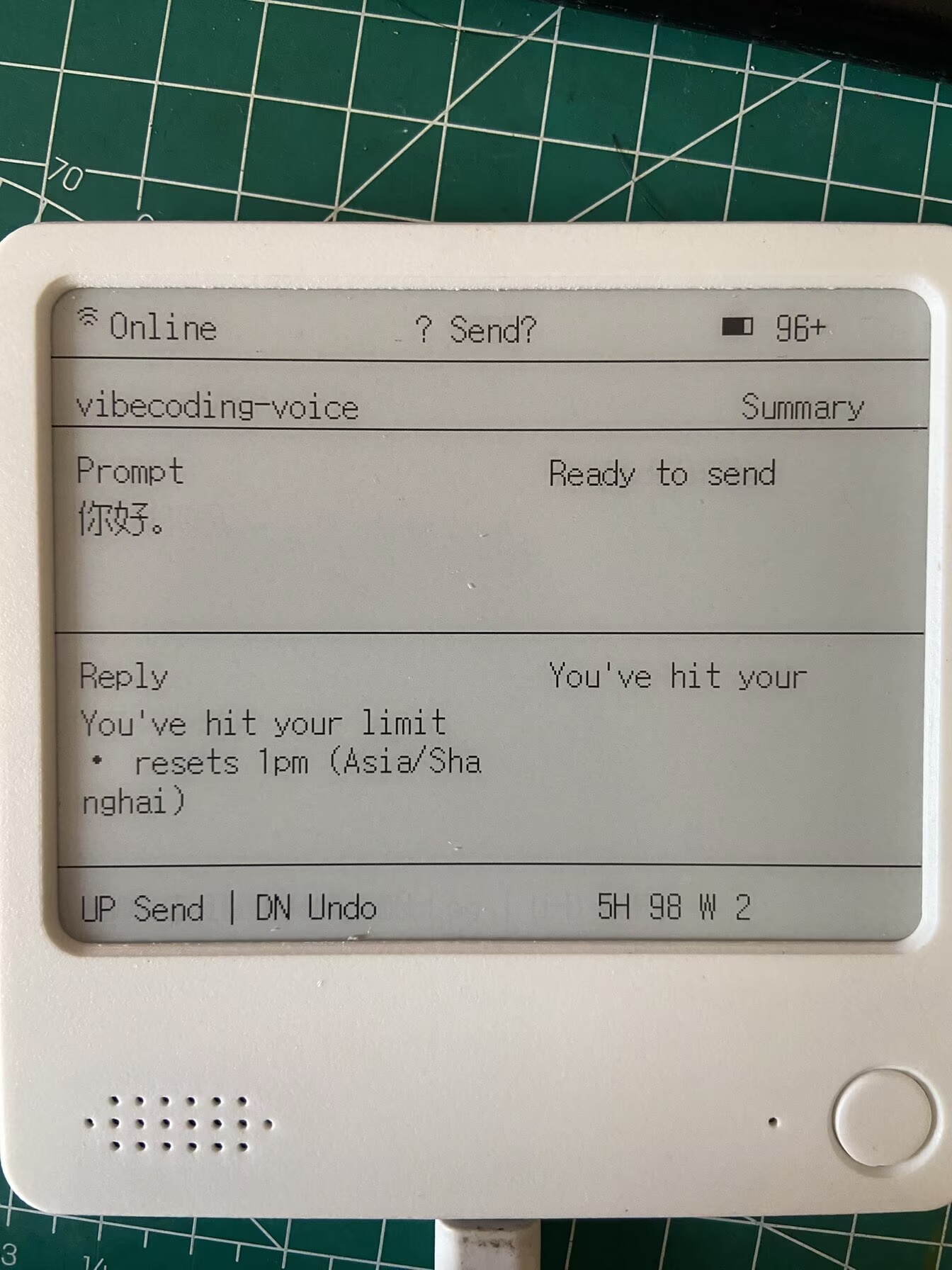
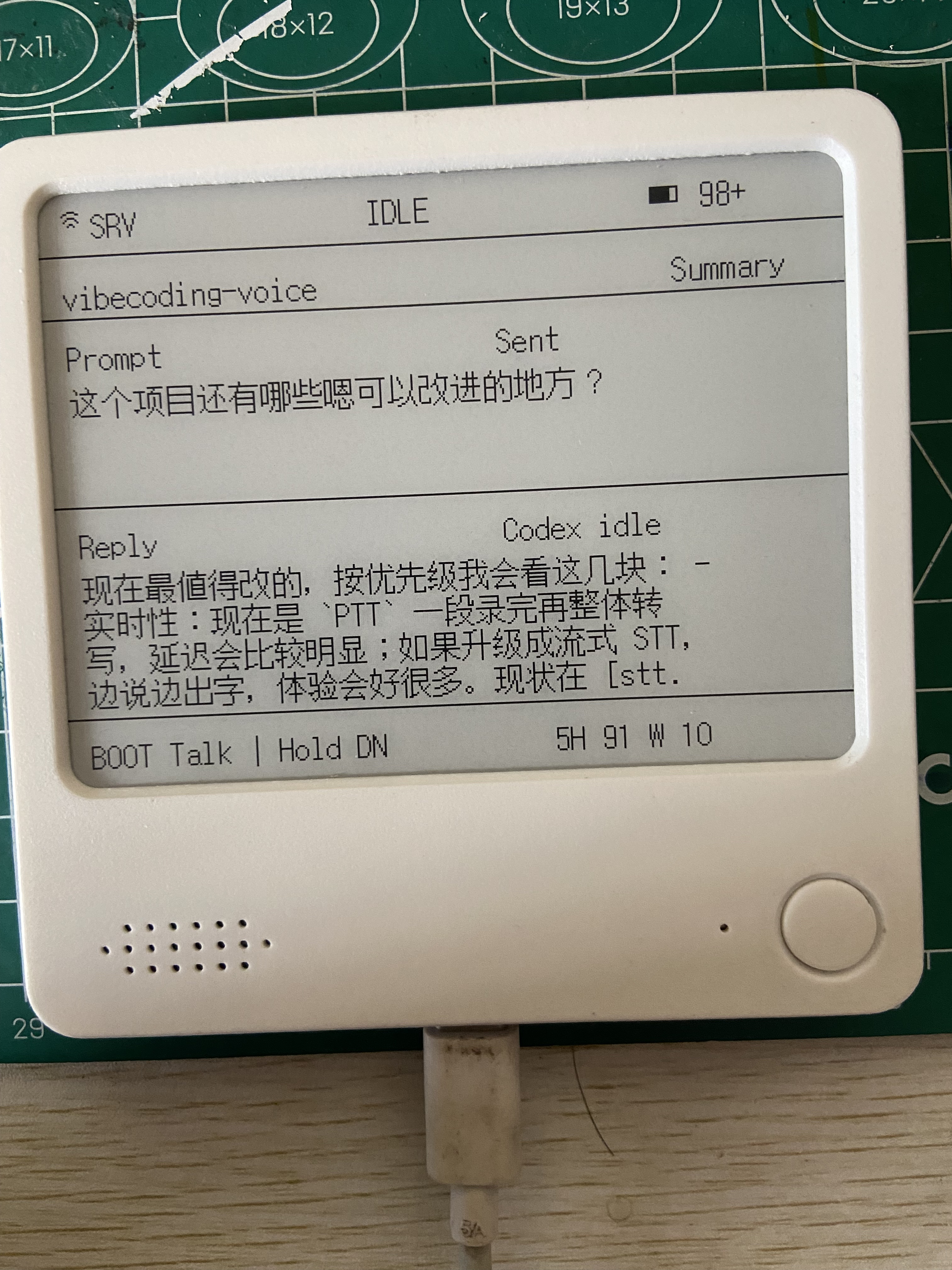
A voice-driven AI coding remote based on an ESP32 e-paper device. Press a button and speak to control Codex or Claude Code without competing for the microphone or interrupting keyboard input.
Original post: https://x.com/mac20777/status/2038541419691028735
¶ 2. Vocabulary Trainer
Author: li-wendian
Last updated: N/A
Link: https://github.com/danleegle/egga-word-machine-offline
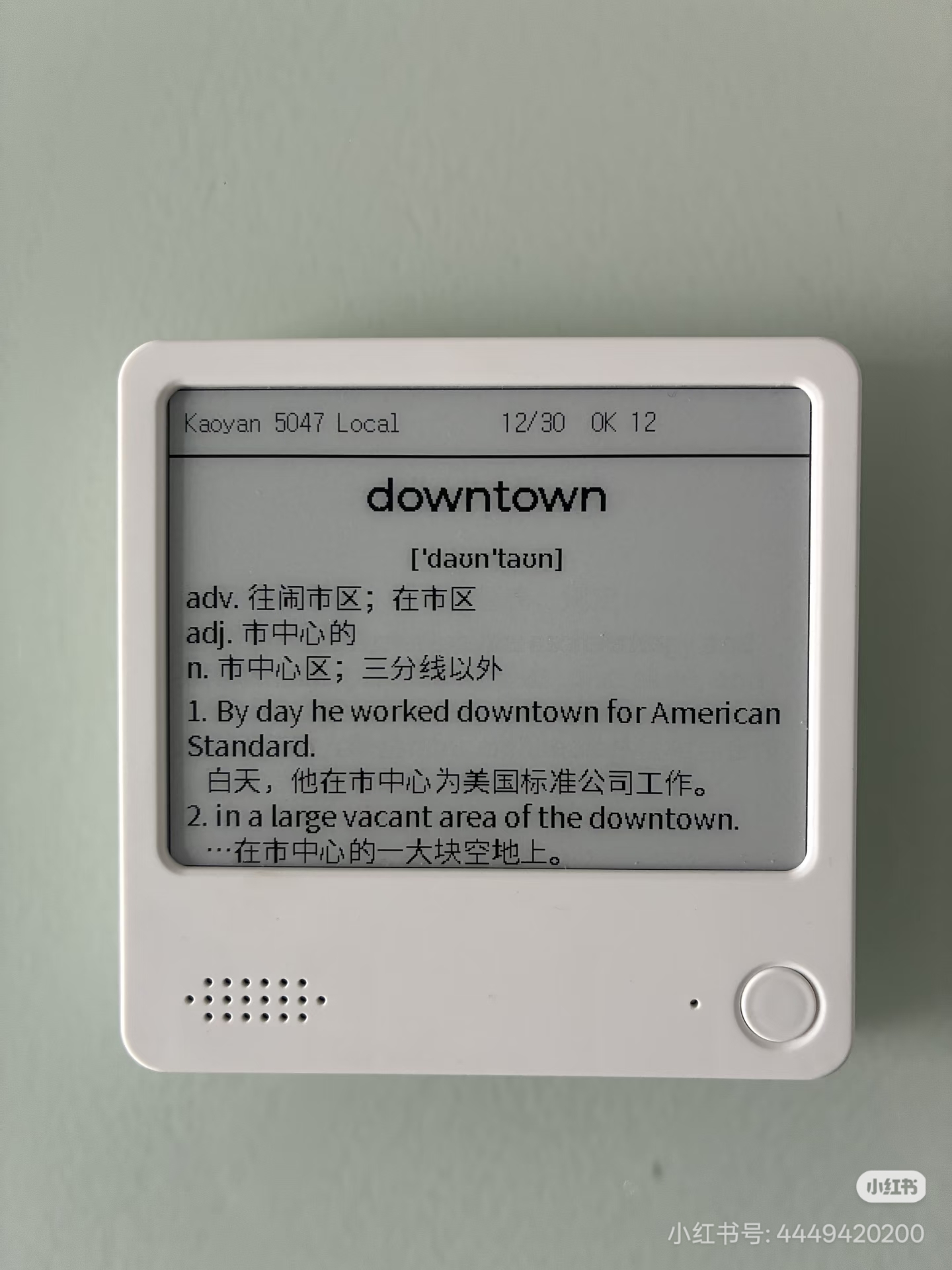
This is an ESP-IDF firmware project for the ZECTRIX S3 4.2-inch e-paper vocabulary trainer. The repository root is the directly compilable firmware project and does not include the locally organized files from its former parent directory.
The current firmware includes a built-in vocabulary list for China's postgraduate English entrance examination. Its main screen presents flashcards and supports sequential or random study, a daily goal, saved study progress, and an NFC entry link. The code retains the foundation for Wi-Fi provisioning and OTA-related configuration, but its current primary use is offline vocabulary study.
Preview
¶ 3. Household Ledger
Maintenance status: Paused (noted on 2026-10-13). The author has indicated that maintenance of this project is paused. The existing description and project links are retained for reference.
Author: quellogs (anonysoul) · Quellog
Last updated: 2026-05-26
Client firmware: https://github.com/quellogs/quellog-eink
Household accounting firmware and a self-hosted server for the ZECTRIX S3 4.2-inch e-paper display.
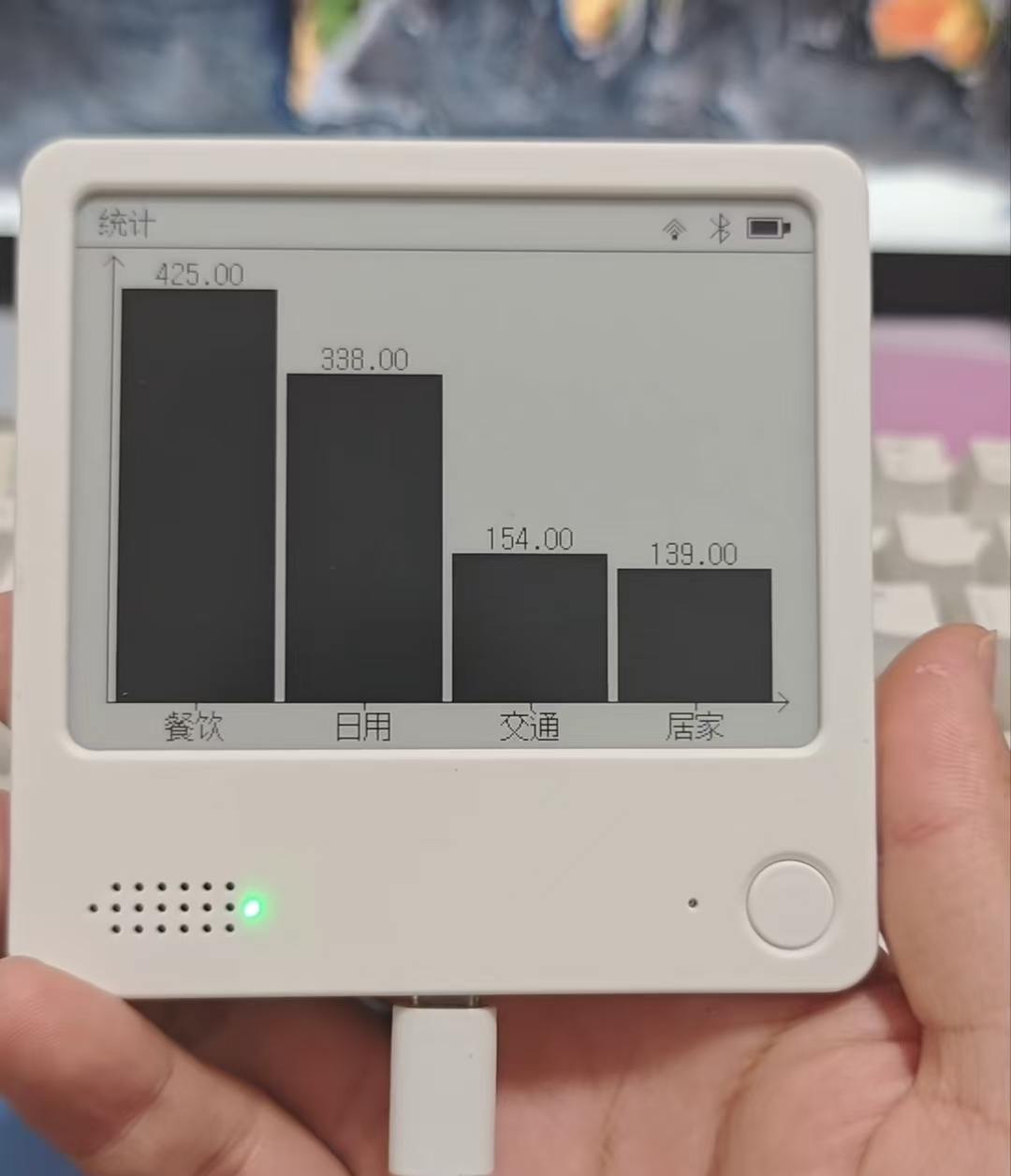
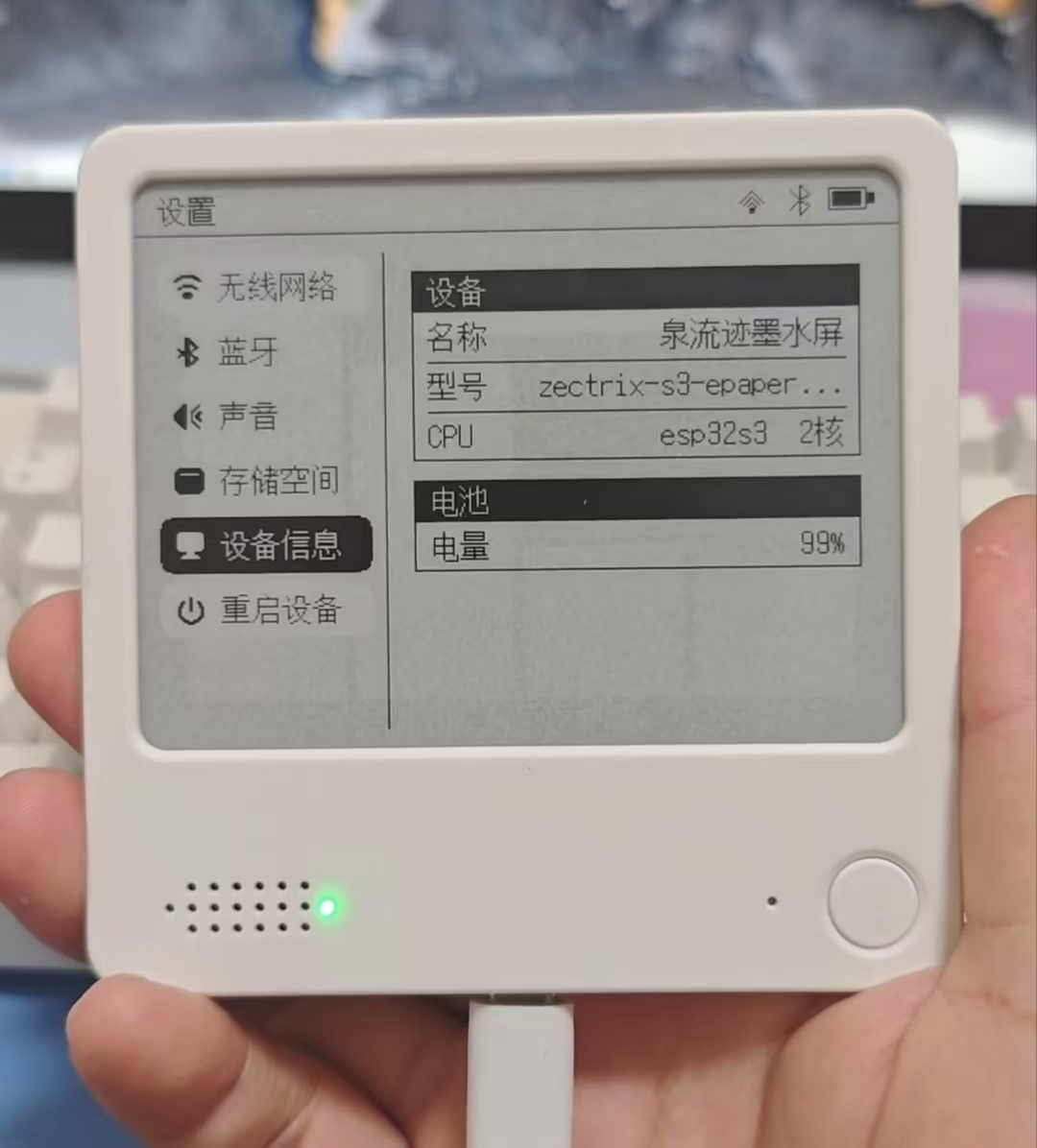
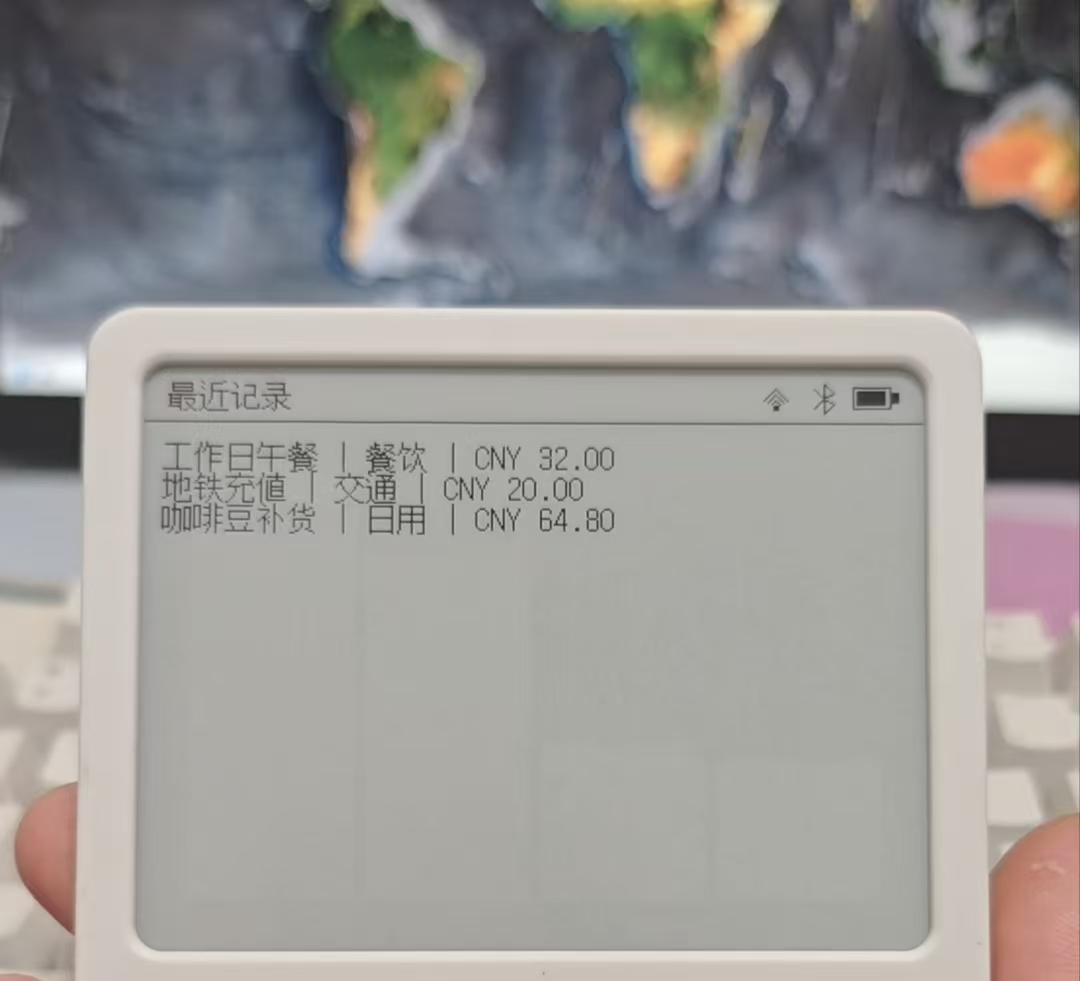
The firmware uses a layered architecture (Board / Display / Application / UiPage) and includes three pages: a statistics dashboard, recent entries, and device settings. It supports SoftAP web-based Wi-Fi provisioning. Source Han Sans is built in, so Chinese text renders smoothly without a separate font partition. Data is retrieved from the self-hosted server through the device API, with all monetary values represented in cents.
The server uses Fastify + Vue 3 + Postgres and provides dashboard statistics (monthly, quarterly, and yearly) plus transaction-detail APIs. It also integrates a WeChat Bot for conversational bookkeeping and LLM-based automatic categorization using OpenAI or DeepSeek. One-command deployment is supported through docker-compose; all data remains under your control, with no dependency on cloud services.
Preview
¶ 4. Slate · Ink Note
Author: qiujun8023 JUN QIU
Last updated: 2026-05-31
Project repository: https://github.com/qiujun8023/slate
It is already close to being a full alternative to the current official version, making it a good choice for users who prioritize privacy or want to use their own LLM API.
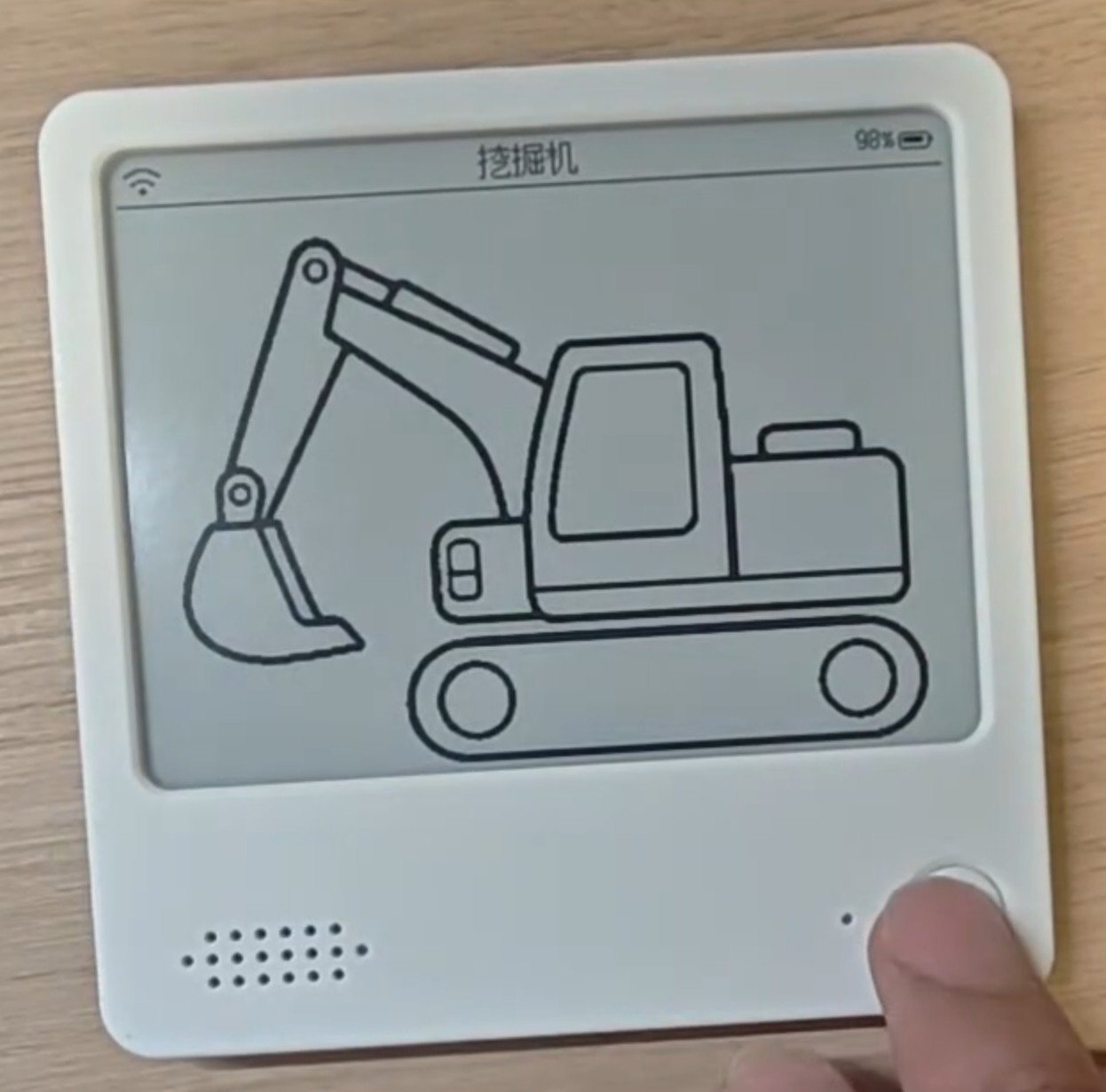
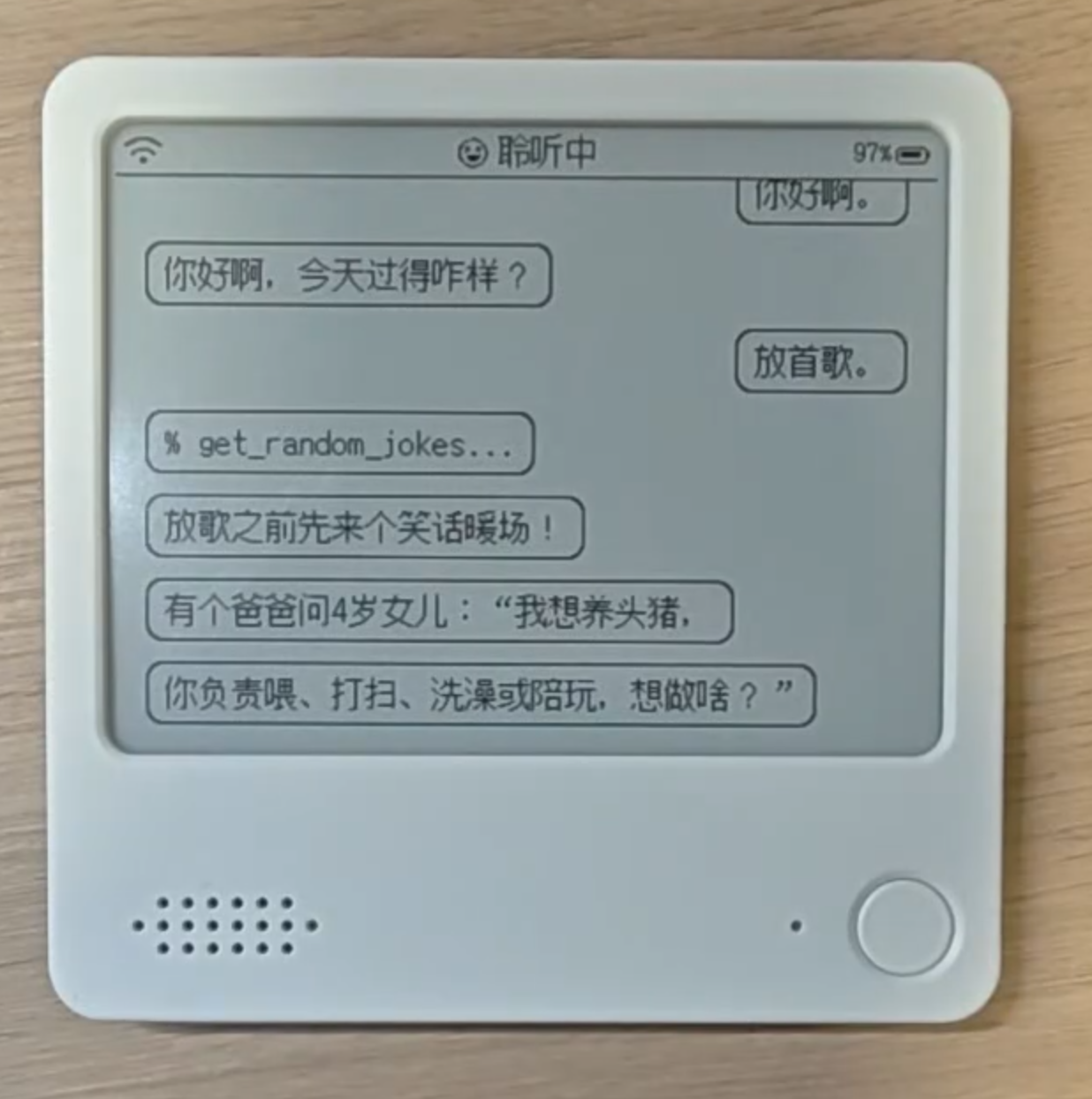
Slate is an open-source photo frame, information dashboard, and voice-toy project for 400 × 300 black-and-white e-paper devices. The repository contains device firmware, a backend API, a web management interface, and schemas shared between the frontend and backend.
Current architecture:
firmware/: ESP-IDF 5.5.x firmware targeting ZECTRIX Note4 V1.0 (ESP32-S3 + 4.2" EPD + ES8311 audio + buttons + battery).
backend/: Bun + NestJS 11 + Fastify + Prisma 7 + MySQL 8, responsible for accounts, devices, content groups, content, dynamic frame rendering, audio transcoding, and the device synchronization protocol.
frontend/: React 19 + Vite 8 + Tailwind v4 web management interface.
shared/: zod schemas, dynamic-content configuration, dithering, and pure image-preprocessing functions shared by the frontend and backend.
Preview
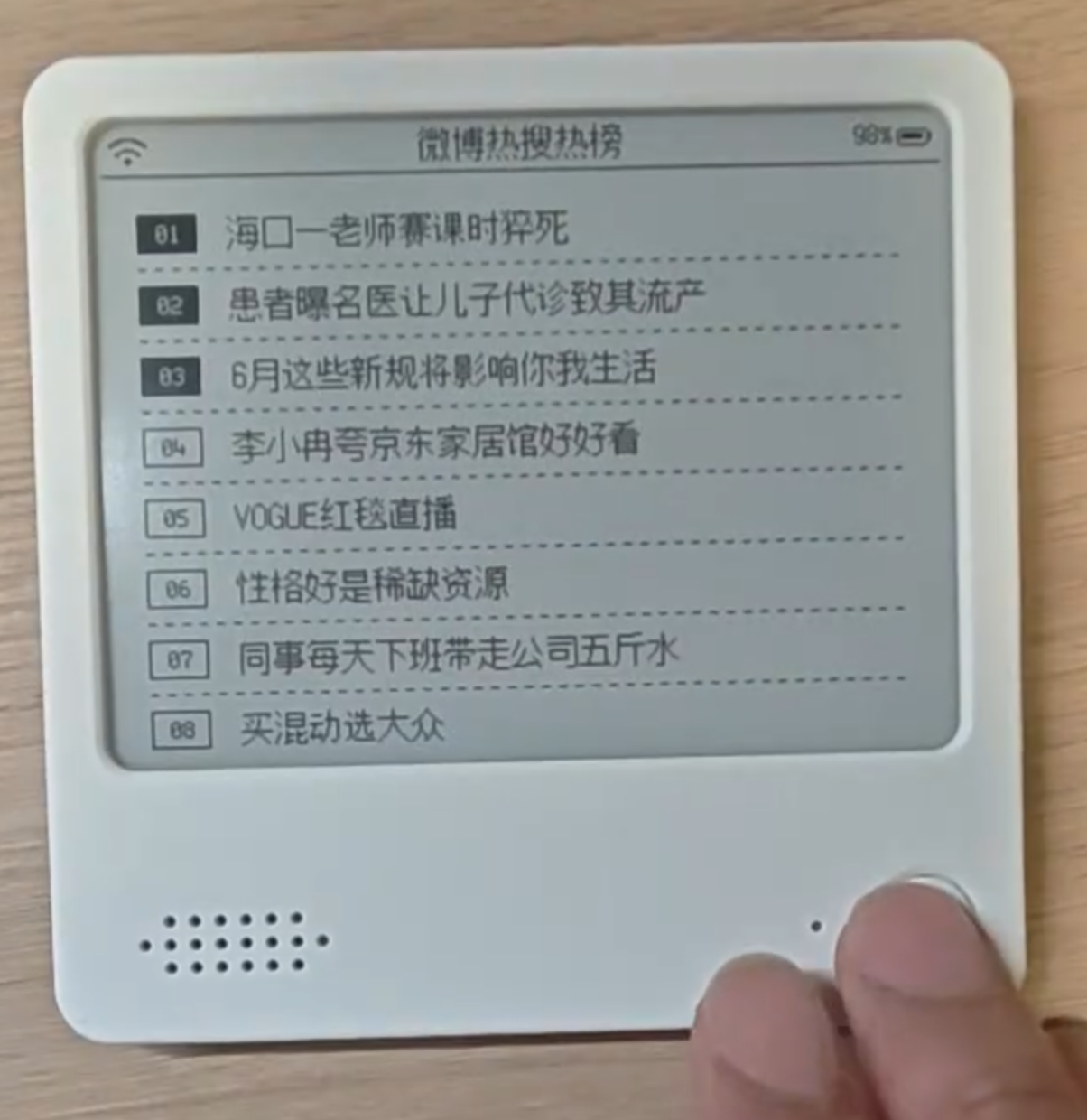
¶ 5. vibecoding-plus
Author: MaydayV
Last updated: 2026-07-05
Project repository: https://github.com/MaydayV/vibecoding-plus
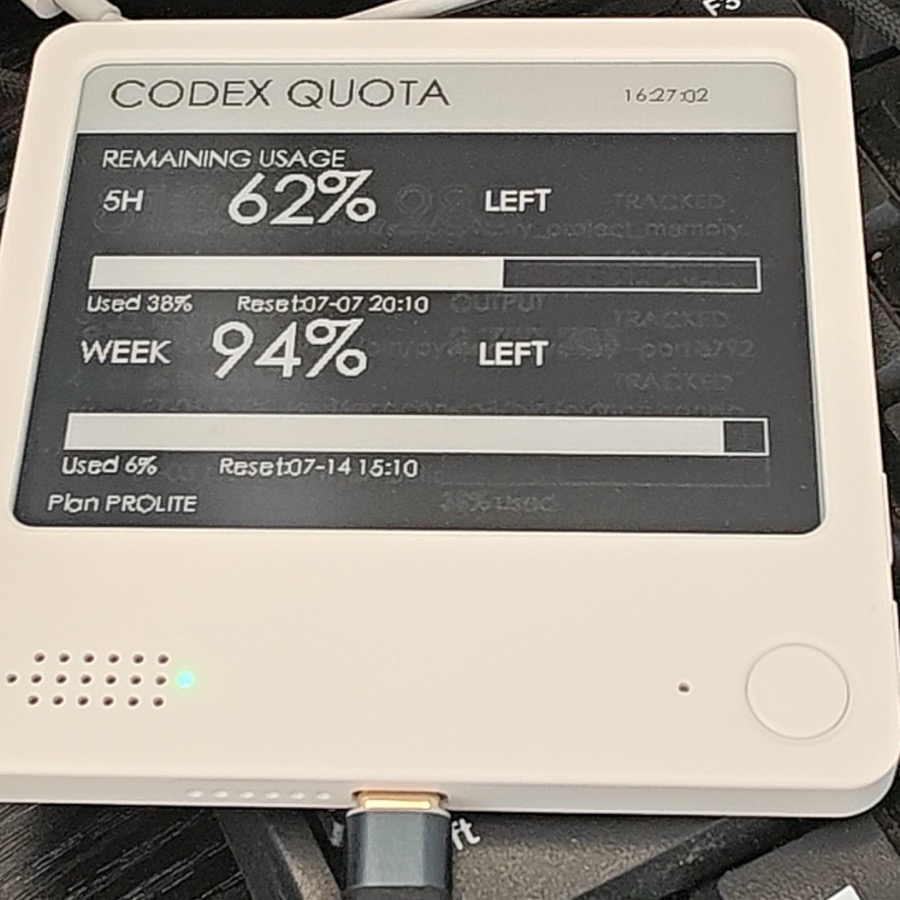
vibecoding-plus is a LAN-based voice coding assistant for ZECTRIX S3 4.2-inch e-paper devices. It turns the device into a physical voice remote for AI coding tools such as Codex and Claude Code.
The project includes ESP32 firmware and a native macOS client. The device handles button detection, PCM recording, WebSocket audio upload, and e-paper status display. The macOS client handles speech transcription, text insertion, device management, to-do management, and service configuration. In a typical workflow, you hold the BOOT button and speak; the audio is uploaded to the client over the LAN and, once transcribed, automatically entered at the current cursor position. It can also be sent to Codex CLI or Claude Code CLI.
The firmware supports LAN UDP discovery, WebSocket communication, optional HMAC-SHA256 authentication, Wi-Fi provisioning, heartbeats, automatic reconnection, Wi-Fi recovery, and power-saving deep sleep. The client supports OpenAI Whisper-compatible APIs, Volcengine ASR, Qwen ASR, local transcription with whisper.cpp, and two-way synchronization with Apple Reminders.
It is suitable for developers who want to combine voice input for AI coding, to-do management, and e-paper status display. It also serves as a secondary-development reference for ZECTRIX Note4 / S3 e-paper devices.
Preview
¶ 6. TransitInk OS
Author: Zerie55699
Last updated: 2026-07-23
Project repository: https://github.com/Zerie55699/transitink-os
Browser installer: https://zerie55699.github.io/transitink-os/
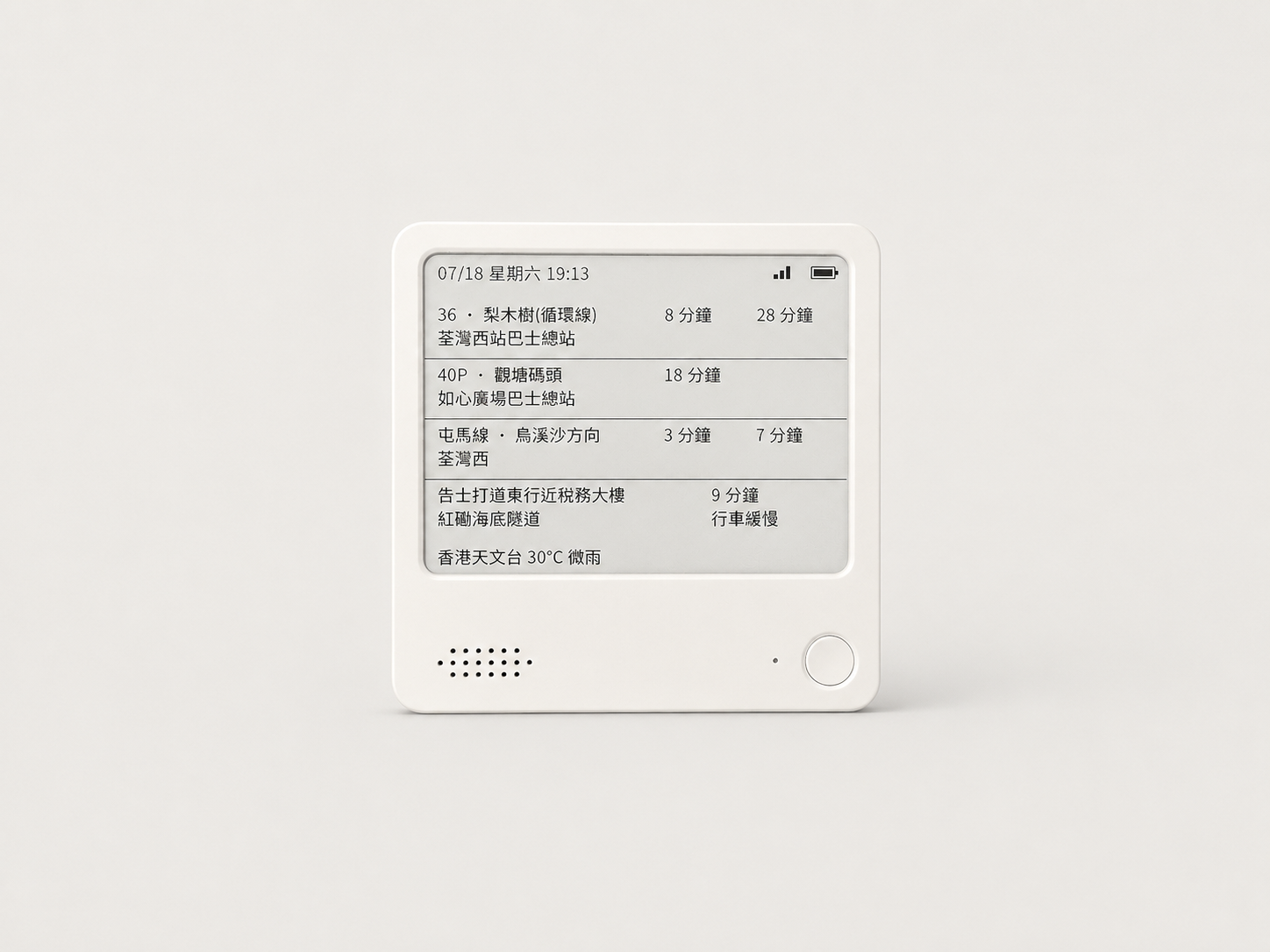
TransitInk OS is an ESP32-S3 public-transit arrival dashboard firmware developed for the ZECTRIX Note 4 hardware profile and its 400 × 300 monochrome e-paper display. The device can show four independently configured widgets and includes an on-device Traditional Chinese settings portal.
It supports arrival times for KMB, Long Win Bus, Citybus, Hong Kong Island, Kowloon, and New Territories Green Minibuses, MTR heavy rail and Light Rail, as well as Transport Department journey-time indicators. On first boot, the device creates a password-protected Wi-Fi access point so users can configure the network and four widget slots in a browser. It also provides an optional daily awake window, scheduled low-power sleep, an offline route directory, and a browser installer for release firmware.
The default PlatformIO environment is zectrix_note4, using an SSD1683-style 400 × 300 display profile. Before flashing, users should verify the device model, flash size, and serial port, then back up the original 16 MiB flash. The project includes backup, flashing, and restore scripts.
License notice: This is an independent source-available project and is not affiliated with or endorsed by ZECTRIX. Its original source code is licensed under the PolyForm Noncommercial License 1.0.0 for noncommercial use only. Commercial use requires separate written permission, while third-party fonts, components, and transport data remain subject to their own terms.
Preview
¶ 7. xiaozhi-zectrix
Author: cattei
Last updated: 2026-07-27
Project branch: https://github.com/cattei/xiaozhi-zectrix/tree/zectrix
xiaozhi-zectrix is a ZECTRIX adaptation branch of the XiaoZhi AI chatbot firmware. The zectrix branch adds the zectrix-s3-epaper-4.2 board profile for an ESP32-S3 device with a 4.2-inch 400 × 300 monochrome e-paper display, ES8311 audio, buttons, battery and charging status, power management, a PCF8563 RTC, and NFC.
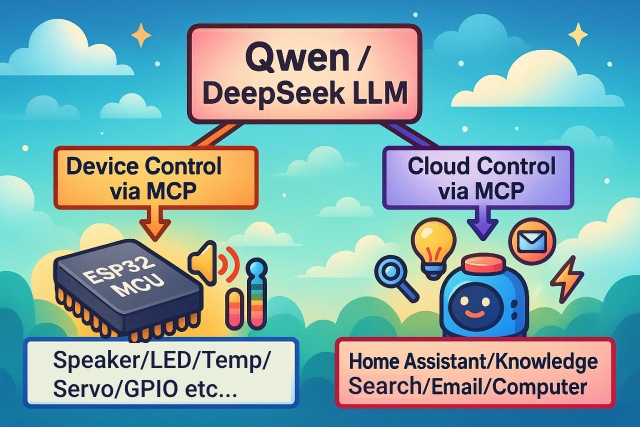
The project retains XiaoZhi's voice-interaction stack, including offline voice wake-up with ESP-SR, WebSocket and MQTT + UDP communication, Opus audio streaming, ASR + LLM + TTS and Realtime voice models, plus device-side and cloud-side MCP extensions. The firmware can connect to the official XiaoZhi service by default or to a compatible service configured according to the upstream documentation.
This adaptation adds a dual-firmware switching mechanism. Holding the Up and Down buttons together for about 500 ms during early startup attempts to switch the boot target to the other OTA partition and restart, allowing users to move between XiaoZhi and ZECTRIX firmware. This requires a matching dual-OTA partition and firmware layout, so verify the partition scheme and back up the original firmware before flashing.
The current mainline recommends ESP-IDF 6.0.2, and the board build name is zectrix-s3-epaper-4.2. The project uses the MIT License and can be used for learning, modification, and commercial work. Development should follow the latest code and documentation on the zectrix branch.
MCP architecture
¶ 8. TRMNL Firmware (zectrix branch)
Author: LitoMore / TRMNL
Last updated: 2026-08-03
Project branch: https://github.com/LitoMore/trmnl-firmware/tree/zectrix
Zectrix build notes: https://github.com/LitoMore/trmnl-firmware/blob/zectrix/docs/zectrix.md
Latest release: https://github.com/LitoMore/trmnl-firmware/releases/tag/zectrix-v1.8.10
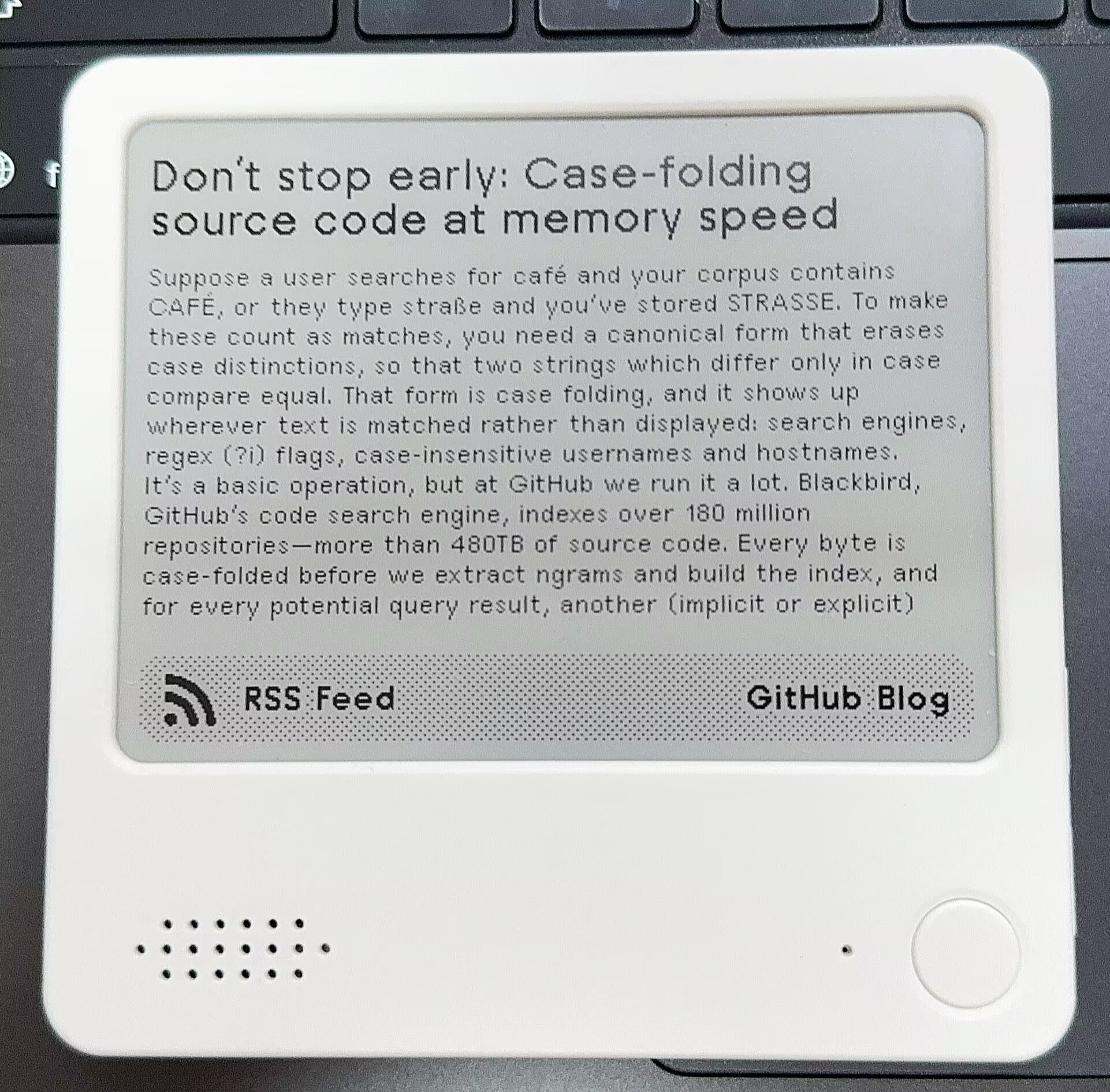
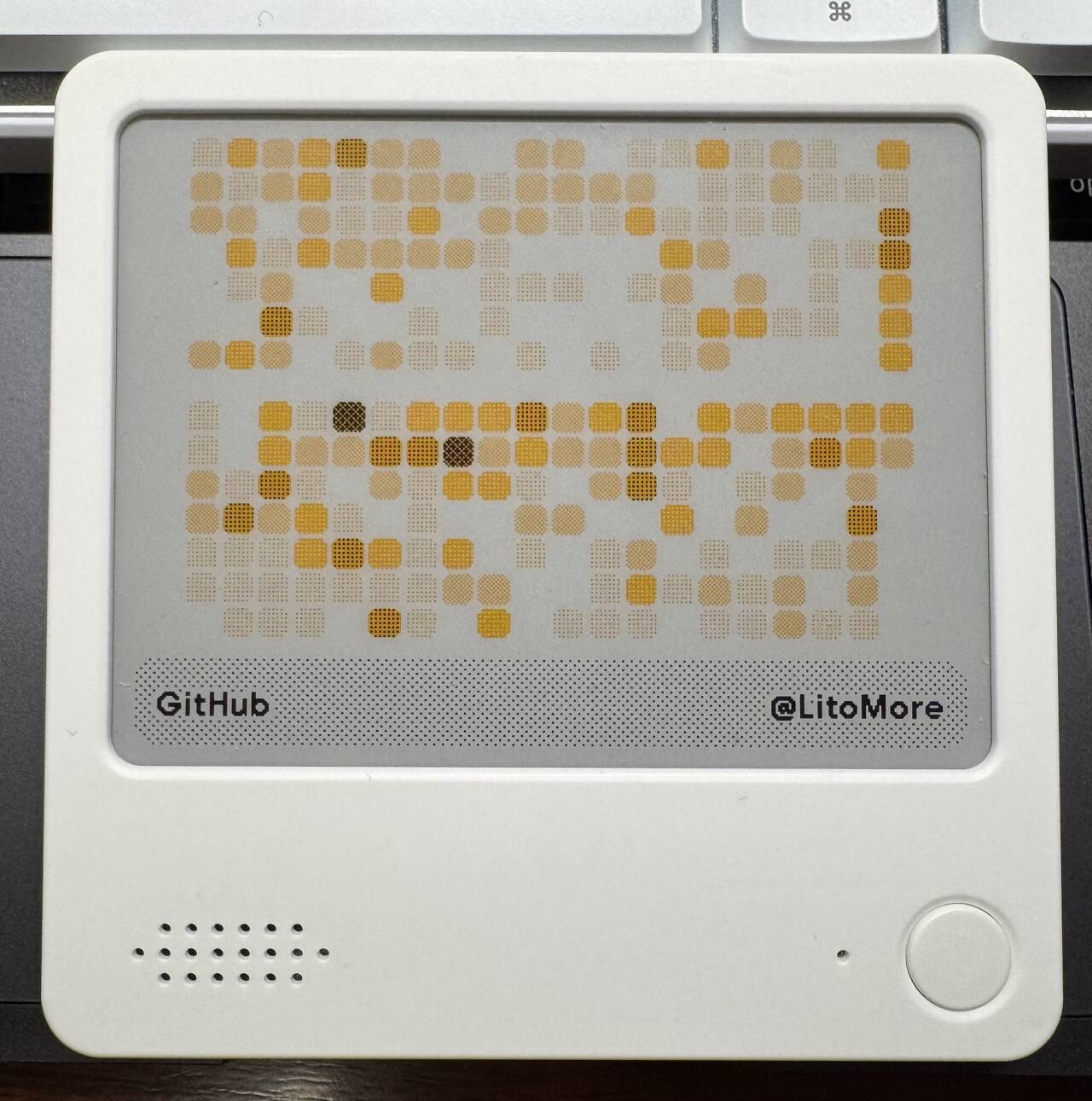
TRMNL Firmware is an open-source e-paper client firmware. The NOTE4 target on the zectrix branch is zectrix_note4, using the EP42B_400x300 monochrome display profile. It supports only the ESP32-S3 N16R8 version of Zectrix NOTE4. The port includes board mappings for e-paper power, the GPIO17 board-power hold, Home / OK button wake-up, battery voltage, and charging status.
The device can use the TRMNL captive setup flow to join Wi-Fi, retrieve and display 400 × 300 custom-screen content, and then enter timed sleep. The zectrix-v1.8.10 release provides zectrix-note4-v1.8.10-merged-firmware.bin and zectrix-note4-v1.8.10-firmware.bin. Use the merged image at 0x0 for a first installation or full reinstall. Use the application image at 0x20000 only when the device already has this Zectrix TRMNL partition layout installed.
NOTE4 device preview
Flashing warning: Use only a
zectrix-note4-*image; never install a NOTE4C image on NOTE4. Back up the complete 16 MiB factory flash before the first installation, and keep the physical power button pressed until the new firmware starts on its first boot. Automatic upstream TRMNL OTA is disabled for the Zectrix targets, and the release does not include the factory Zectrix firmware.The project uses the GPL-3.0 License. This repository is a fork of
usetrmnl/trmnl-firmware; use thezectrixbranch anddocs/zectrix.mdas the source of truth for the Zectrix port.
¶ 9. Zectrix NOTE4 4BP Gallery
Model clarification: This is the NOTE4 16-gray Gallery.
4BPmeans 4 bits per pixel, not four colors. Its prebuilt image is for monochrome NOTE4 only. For the NOTE4C development-guide reference, use NOTE4C Four-Color Reference Firmware.
Author: LazyYoun
Last updated: 2026-08-13
Project repository: https://github.com/LazyYoun/zectrix-note4-4bp-gallery
Prebuilt firmware: https://github.com/LazyYoun/zectrix-note4-4bp-gallery/blob/main/zectrix-note4-4bp-gallery.bin
SHA-256: https://github.com/LazyYoun/zectrix-note4-4bp-gallery/blob/main/zectrix-note4-4bp-gallery.bin.sha256
Zectrix NOTE4 4BP Gallery is an ESP32-S3 electronic photo gallery and NAS photo-management system for the 400 × 300 monochrome NOTE4. Here, 4BP means 4 bits per pixel, or 16 gray levels. The device uses the calibrated waveform for the NOTE4 SSD2683 panel to display 60,000-byte gray4bpp images and also supports 15,000-byte monochrome 1bpp images. The prebuilt firmware is only for the monochrome NOTE4 and is not compatible with the four-color NOTE4C.
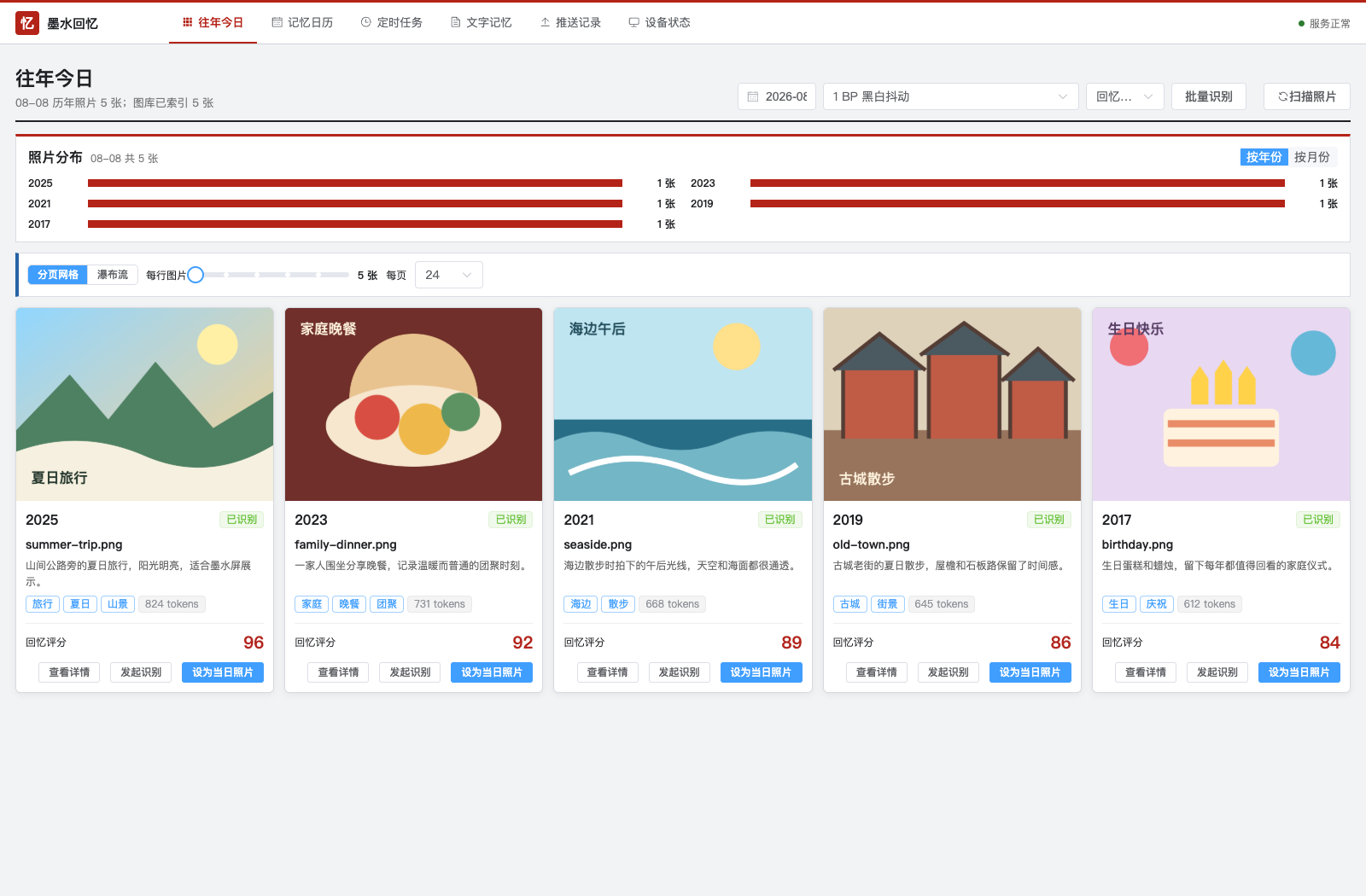
The project includes ESP-IDF firmware, a FastAPI + PostgreSQL backend, and a Vue 3 management interface. A NAS can scan a family photo library through a read-only mount, build “on this day” candidates from EXIF dates, and optionally generate AI descriptions and scores. The management interface selects photos and output formats; the device periodically retrieves a task, verifies its SHA-256, stores it in the local gallery, refreshes the display, and returns to deep sleep. The device can also create an InkScreen-AP network for phone-based uploads, gallery management, slideshow settings, and NAS synchronization settings at http://192.168.4.1.
Interface previews (the repository uses fictional demonstration data)

Flashing warning: The repository-root
zectrix-note4-4bp-gallery.binis a complete merged image written at0x0; it contains the bootloader, partition table, initial OTA data, and application firmware. Before flashing, confirm that the device is a monochrome NOTE4, back up the complete 16 MiB factory flash, and verify the image with the repository's.sha256file. The repository states that the firmware was built, flashed, and boot-tested on a physical NOTE4 with ESP-IDF 5.4.2. It currently advises against bypassing the upstream waveform hash-check issue under ESP-IDF 6.The project uses the MIT License. Third-party components, the NOTE4 driver, and the test photo remain subject to their own licenses and attribution requirements.
¶ 10. Hearth
Author: Shantanu Goel (GitHub: shantanugoel)
Added: 2026-09-16
Repository: https://github.com/shantanugoel/hearth
Version tag: v0.1.0
Installation and backup: README · Full-flash backup and restoration
Hearth turns the monochrome NOTE4 Developer Kit (ESP32-S3 N16R8, 400 × 300) into a household memory board. Hold the front button to record a request. A self-hosted Hub sends it for transcription, while a dedicated Hermes agent reads the board and uses Hearth tools to file the request before the device receives the updated screen.
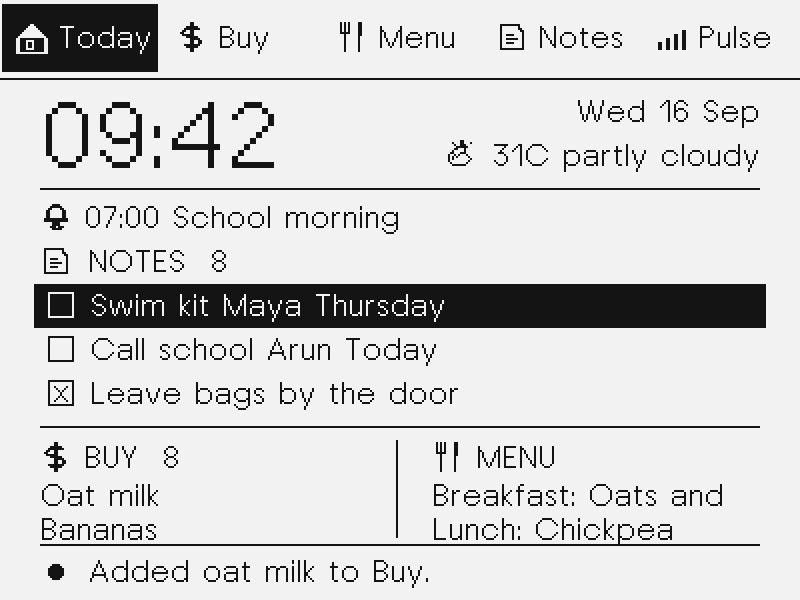
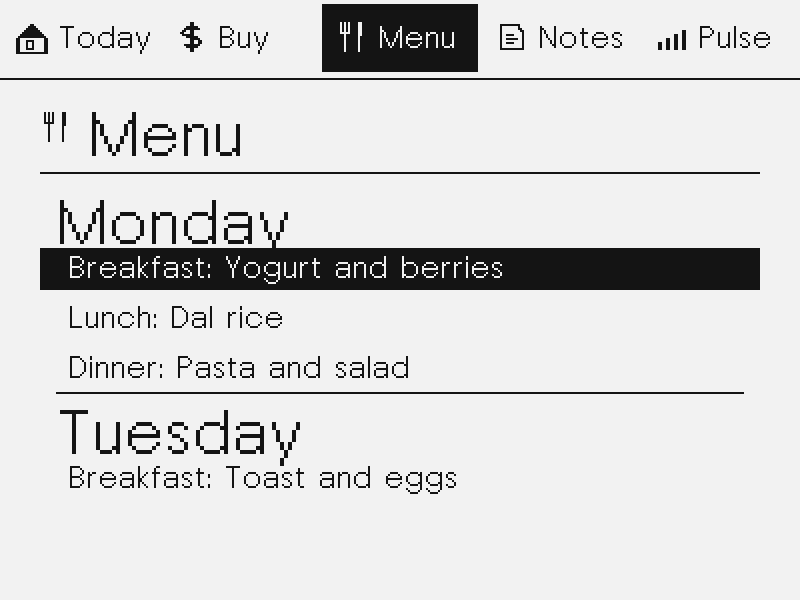
Today, Buy, Menu, Notes, and Pulse cover RTC time, weather, shopping, owner-labelled household notes, weekly meals, and one-shot alarms/timers. Buttons switch pages, select items, toggle completion, and delete; uploads and filing run in the background.
Requirements: ESP-IDF v6.1, a Python Hub, a reachable STT service, and Hermes locally or over SSH. Configure Wi-Fi, Hub access, and weather coordinates as documented. The v0.1.0 tag currently offers source archives only; installation requires a source build and USB flashing, not a prebuilt image.
Host-simulator previews generated with the firmware canvas and screen code, not device photographs. People and board entries are demonstration data.
Model and data warning: NOTE4 only, not NOTE4C. Back up and verify your own complete 16 MiB flash before replacing firmware, and retain another copy. Adapt the serial port, tool paths, and the backup script's default author-device identity check. The documented backup checksum refers to the author's previous BEACON image, not a universal ZECTRIX factory recovery package.
cleanadds no demo data;demobacks up and replaces the current Hub board. Recordings, transcripts, and board data are processed by the configured Hub, STT service, and Hermes. Keep credentials and household data out of public repositories.MIT licensed, with Zectrix Lab reference-demo board/display code and separately licensed third-party components listed in
THIRD_PARTY_NOTICES.md. This listing reflects documentation and source inspection, not official hardware certification or long-term stability testing.
¶ Macau Bus Arrival Display
Author: csloz · NOTE4
A Macau bus firmware for monochrome NOTE4. Over Wi-Fi, it fetches DSAT bus positions and weather every five minutes, displaying estimated arrivals, the following bus and other routes. Configure stops, routes and Wi-Fi on the device.
Requirements: Monochrome NOTE4 · ESP32-S3 N16R8 · ESP-IDF 6.1 · USB data cable · Wi-Fi
- Choose a Macau stop and route to view the nearest and following bus
- Three-button Wi-Fi, stop and route setup, saved on the device
- Refreshes online every five minutes, with Cotai weather and other stop routes
Setup and details: GitHub · Author guide · Developer page
Review boundary: Source preview verified · Device flashing unverified (2026-10-27)
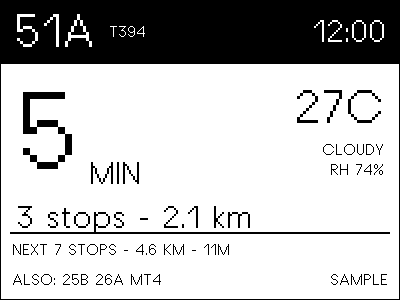
Preview reused from the Developer catalog; see its source and verification notes.
¶ PaperTalk-ESP32
Author: JAGU · NOTE4
Turn NOTE4 into a family voice-message terminal. A Feishu bot receives voice messages, unread messages appear as heart envelopes, and device buttons play or record replies. A companion Python server must stay running.
Requirements: Monochrome NOTE4 · ESP-IDF 5.5+ · Python 3.10+ server · Feishu custom enterprise bot · Wi-Fi
- Heart envelopes represent unread voice messages, with adaptive layouts for 1–15 messages
- Short press to listen; hold about 300ms to record and release to send to Feishu
- Blank standby screen with a battery icon; side buttons adjust volume
Setup and details: GitHub · Author guide · Developer page
Review boundary: Source and preview reviewed · Firmware and server untested (2026-10-28)
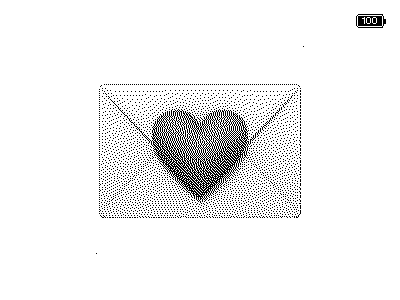
Preview reused from the Developer catalog; see its source and verification notes.
¶ Zectrix-claw
Author: kaposon-netizen · NOTE4
A NOTE4 family learning companion for primary-school children, also called PocketClaw in its documentation. Dedicated firmware, a local Python service, a parent web portal and a WeChat mini-program provide homework, timetables, dictation, poems, arithmetic, English and habits. AI and speech services require separate configuration.
Requirements: Monochrome NOTE4 · ESP-IDF 5.4+ · Always-on Python 3.10–3.12 service · Same LAN · Optional AI, vision and speech services
- Homework, weekly timetables and habits, managed and sent from the parent web portal
- Dictation, poem recitation, arithmetic, English reading and vocabulary practice
- Three-button operation with configurable voice interaction and an AI companion
- Focus timer, family notes and screensavers; optional self-configured WeChat mini-program source
Setup and details: GitHub · Author guide · Developer page
Review boundary: Source and interface preview reviewed · Firmware hardware validation pending (2026-10-28)
The 2026-10-28 review recorded 218 server tests passing and one timetable-display assertion failing. The WeChat mini-program is source to configure yourself, not a published service.
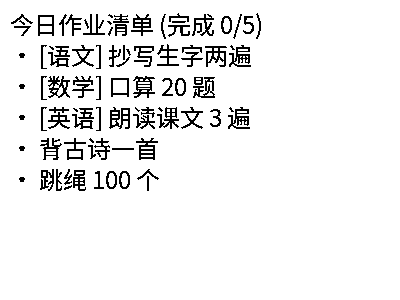
Preview reused from the Developer catalog; see its source and verification notes.
¶ NOTE4C Reference Firmware: Four-Color Gallery
Maintainer: LazyYoun
Project: https://github.com/LazyYoun/youn-ink-fourcolor-firmware/tree/2bp
This independently maintained project is the reference firmware used in the official NOTE4C development guide. It targets the 400 × 300 black, white, red, and yellow NOTE4C panel. The 2bp branch includes ESP-IDF firmware, Wi-Fi setup, phone/AP and local-network image upload, a device gallery, and optional server and image-management components.
Use the NOTE4C development guide for the documented merged image, checksum, installation address, panel configuration, and operating instructions. The reference project is distinct from the consumer NOTE4 firmware and from NOTE4 16-gray Gallery (4BP). Do not interchange their firmware images.
¶ NOTE4C 1. Today Is Friday?
Author: eyaeya
Last updated: 2026-07-29
Project repository: https://github.com/eyaeya/today-is-friday
Latest release: https://github.com/eyaeya/today-is-friday/releases/latest
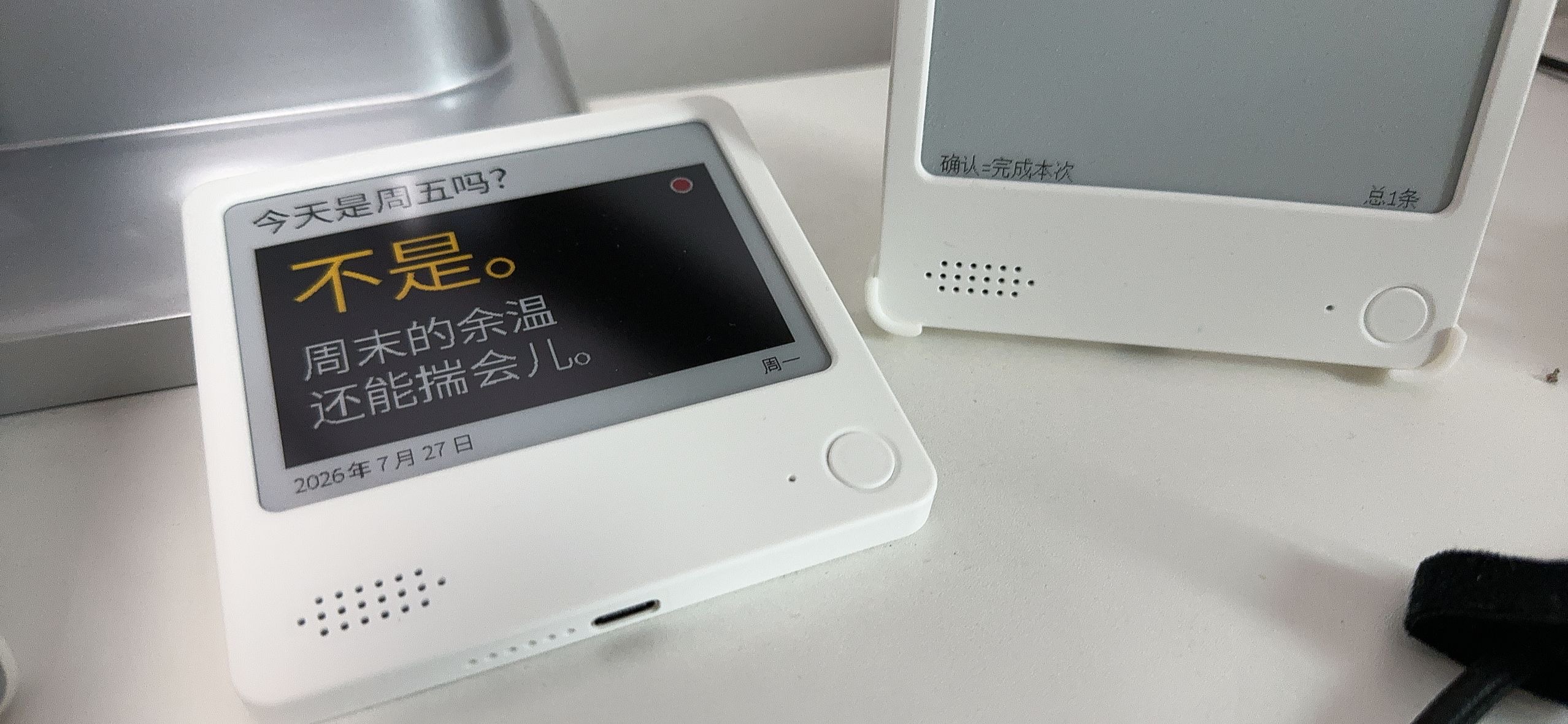
Today Is Friday? is an ESP32-S3 novelty calendar firmware created specifically for the four-color ZECTRIX NOTE4C. It targets the 4.2-inch 400 × 300 SSD2683 BWRY e-paper panel and shows a short answer based on the day of the week and time period. It includes nine phrase pools with 450 Chinese phrases in total; each pool uses a persistent shuffle bag so a phrase is not repeated before the current round is exhausted. A short press of BOOT selects another phrase, and the interface uses only black, white, red, and yellow.
On first boot, the device creates an open setup access point and Captive Portal so the user can configure 2.4 GHz Wi-Fi and initialize the time from a phone. The firmware keeps time offline with a PCF8563 RTC, wakes automatically at date or time-period boundaries, refreshes the screen, and returns to deep sleep. Holding Down reopens setup. The device does not stay online during normal display operation; it attempts an online time synchronization when entering Thursday.
The current v0.1.1 release includes a single merged image written at 0x0, an app-only image written at 0x20000, a four-segment recovery package, and SHA-256 checksums. The v0.1.1 app-only upgrade, normal screen, and BOOT short press have passed smoke testing on a physical NOTE4C. The merged image structure and its component segments have been verified, but the complete merged combination has not yet been reflashed to the test device.
Device preview
Flashing warning: This project is only for the four-color NOTE4C and must not be installed on a monochrome NOTE4.
merged-offset-0x0.binmust be written at0x0;app.binmay only be written at0x20000on a compatible partition layout. Never mix the files and offsets. Before a first installation, or whenever the current partition layout is uncertain, back up the complete 16 MiB flash and follow the repository README and release notes.The project is published under the MIT License and is based on the
2bpbranch ofLazyYoun/youn-ink-fourcolor-firmware.
¶ NOTE4C 2. TRMNL Firmware (zectrix branch)
Author: LitoMore / TRMNL
Last updated: 2026-08-03
Project branch: https://github.com/LitoMore/trmnl-firmware/tree/zectrix
Zectrix build notes: https://github.com/LitoMore/trmnl-firmware/blob/zectrix/docs/zectrix.md
Latest release: https://github.com/LitoMore/trmnl-firmware/releases/tag/zectrix-v1.8.10
The zectrix branch provides Zectrix NOTE4 and NOTE4C support for the open-source TRMNL e-paper client. On August 3, 2026, the maintainer marked the port as stable and published the formal zectrix-v1.8.10 release. It provides two independent PlatformIO targets: NOTE4 uses zectrix_note4 with the EP42B_400x300 monochrome profile, while NOTE4C uses zectrix_note4c with the EP42YR_400x300 four-color profile. Both targets support only ESP32-S3 N16R8 hardware and add Zectrix-specific mappings for e-paper power, the GPIO17 board-power hold, Home / OK button wake-up, battery voltage, and charging status.
Once connected to the TRMNL service, the device can use its captive setup flow to join Wi-Fi, retrieve and display 400 × 300 TRMNL custom-screen content, and then enter timed sleep. zectrix-v1.8.10 provides separate merged-firmware.bin and firmware.bin files for NOTE4 and NOTE4C. Use the merged image at 0x0 for a first installation or full reinstall. Use the application image at 0x20000 only when the device already has this Zectrix TRMNL partition layout installed. The release page also lists SHA-256 checksums for all four images.
Device preview
Flashing warning: The release images support only the ESP32-S3 N16R8 versions of NOTE4 and NOTE4C. Their display drivers and images are not interchangeable. Back up the complete 16 MiB factory flash before the first installation, and keep the physical power button pressed until the new firmware starts on its first boot. Automatic upstream TRMNL OTA remains disabled for these targets, and the factory Zectrix firmware is not included in the release.
The project uses the GPL-3.0 License. This repository is a fork of
usetrmnl/trmnl-firmware; use thezectrixbranch anddocs/zectrix.mdas the source of truth for the Zectrix port.
¶ NOTE4C 3. emini Home
Author: Tomasz Fiedoruk (GitHub: fiedoruk)
Last updated: 2026-09-13
Project repository: https://github.com/fiedoruk/emini-home
Project website: https://emini.ink/home/
Latest release: https://github.com/fiedoruk/emini-home/releases/tag/v0.4.0
Installation guide: https://github.com/fiedoruk/emini-home/blob/main/docs/INSTALL.md
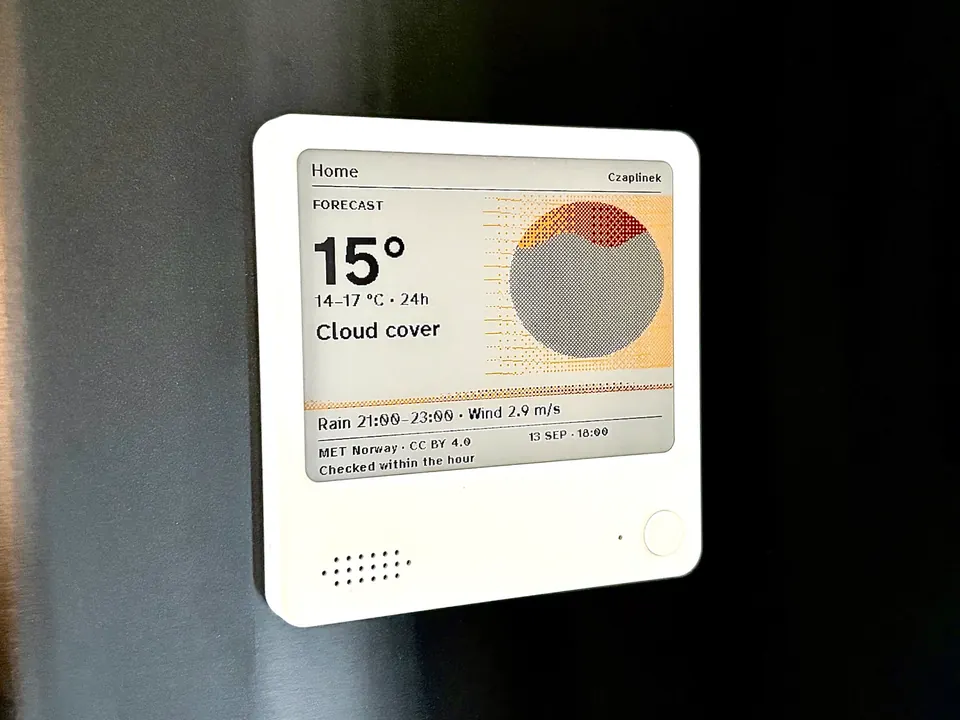
emini Home is ESP-IDF firmware made specifically for the four-color ZECTRIX NOTE4C Devkit. It turns the 400 × 300 black, white, red, and yellow e-paper display into a calm daily poster with a weather forecast, one news headline, and a note of your own. The weather screen offers Rhythm, Atlas, and Print compositions and can rotate among them.
On first start, the device creates an emini.ink setup network. From a local panel in the phone browser, users pair the phone and configure 2.4 GHz Wi-Fi, a town, an RSS or Atom news feed, the display schedule, and quiet hours. No app or account is required. Settings remain on the device and are not sent to an emini server; weather, place search, approximate IP location, news, and time synchronization still contact the third-party services listed in the project documentation.
Release v0.4.0 uses ESP-IDF 6.0 and provides an application image, partition table, build configuration, and SHA-256 checksums. Its installation procedure requires two complete flash backups followed by tools/preflight.py, which compares the boot data with the tested unit. After a passing check, only the partition table at 0x8000 and the application at 0x20000 are written, leaving the existing bootloader and factory data untouched.
NOTE4C device preview
Flashing and test-status warning: This project supports only the four-color NOTE4C and must not be installed on a monochrome NOTE4. Version 0.4.0 has been installed and tested on one NOTE4C only, and the preflight script cannot identify NOTE4 versus NOTE4C by itself. Confirm the model manually, make both full backups exactly as documented, and do not continue if preflight reports
STOP. Factory-firmware restoration has not yet been tested on a real unit; Android setup, battery life, and deep sleep are also untested or not yet implemented. Updates currently require USB because OTA is not available.The project is published under the MIT License. It is an independent community project and is not made or sponsored by ZECTRIX. Installing third-party firmware replaces the software currently on the device; use the repository README, installation guide, and release page as the source of truth.
¶ NOTE4C 4. FourColor Ink
Author: DennisGaida
Documentation checked: 2026-09-20
Project repository: https://github.com/DennisGaida/fourcolor-eink-firmware
Build and installation: https://github.com/DennisGaida/fourcolor-eink-firmware#firmware
FourColor Ink is a community fork of LazyYoun's youn-ink-fourcolor-firmware. It targets the ZECTRIX ESP32-S3 4.2-inch four-color display and includes a photo gallery, weather, busy-light, and settings pages. Gallery images can be uploaded through the device's Wi-Fi hotspot or pushed over its LAN HTTP API, including from a NAS or script.
Busy-light presence and calendar data require the separate Python HTTP bridge in server/; the firmware can run without it, but will have no live busy-light data. Chat, ebook, news, and standalone calendar modules are unfinished experiments excluded from the normal build.
The README documents ESP-IDF 6.0 builds. For NOTE4C, select the SSD2683 four-color BWRY panel configuration and follow the repository's current build and flash instructions. The optional monochrome configuration uses a different panel setting. This listing is based on repository documentation; we have not independently flashed or tested this fork.
License: MIT. Maintained independently by DennisGaida; distinct from the LazyYoun reference firmware linked above.
¶ Interface previews
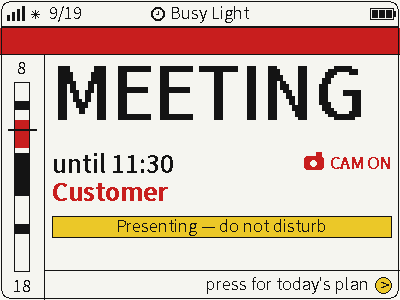
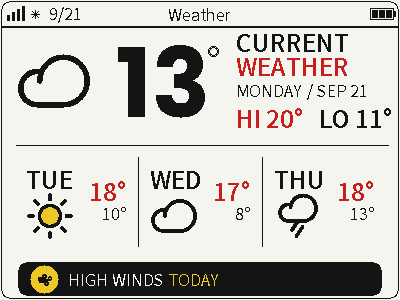
Screenshots: DennisGaida / FourColor Ink · Busy-light documentation · Weather documentation. These are project interface screenshots, not device photographs.
¶ NOTE4C 5. Paperwake
Author: alexclmy (X: @ytiralugins)
Documentation checked: 2026-09-21
Project: https://github.com/alexclmy/paperwake
Paperwake combines NOTE4C firmware with a local Control Tower web app for composing weather, calendar, countdown, and note dashboards. It targets the 400 × 300 black, white, red, and yellow ESP32-S3 panel. The composer runs on your own computer, binds to loopback by default, and sends frames to the device over your LAN without a Paperwake cloud account.
The editor supports arranging tiles and previewing four-color output. A delivery ledger distinguishes queued, sent, confirmed-displayed, uncertain, and failed frames. Battery operation uses deep sleep with timed or button wake; Control Tower queues content and delivers it during the device's wake window. A mock device lets you try the composer before flashing hardware.
The documented requirements are ESP-IDF 6.x for the firmware and Node.js 20+ for Control Tower. See the firmware guide and Control Tower quick start. Back up the complete 16 MiB flash before installation and follow the upstream hardware instructions. This listing has not been independently flash-tested by us.
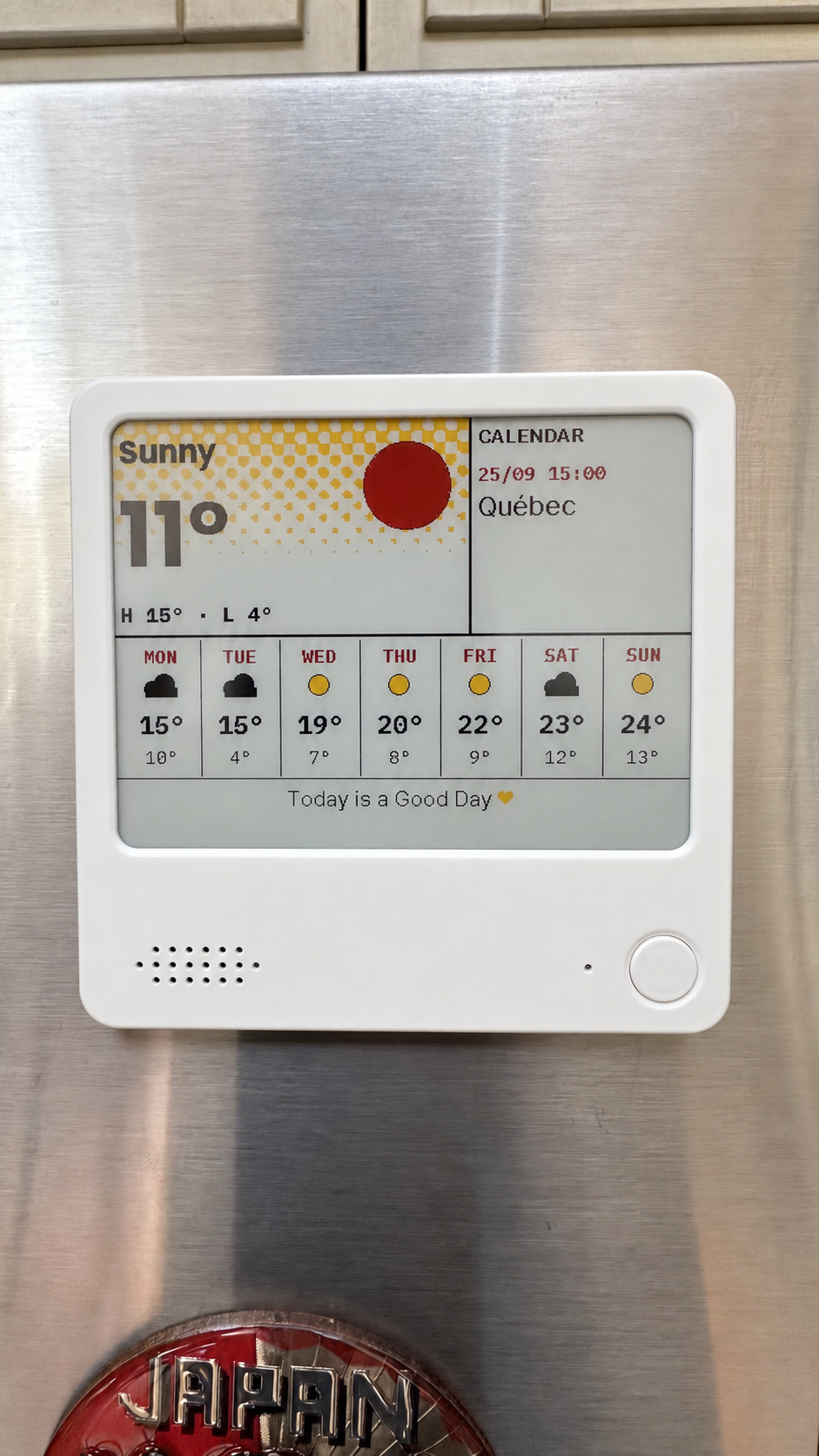
Preview: supplied project photo, lightly brightened for readability.
License: MIT, with upstream firmware notices retained. Paperwake is an unofficial independent project.
¶ NOTE4C 6. Zaino
Author: filippocobelli
Documentation checked: 2026-09-28
Repository: GitHub
Installation: docs/installazione.md (Italian) · Firmware details
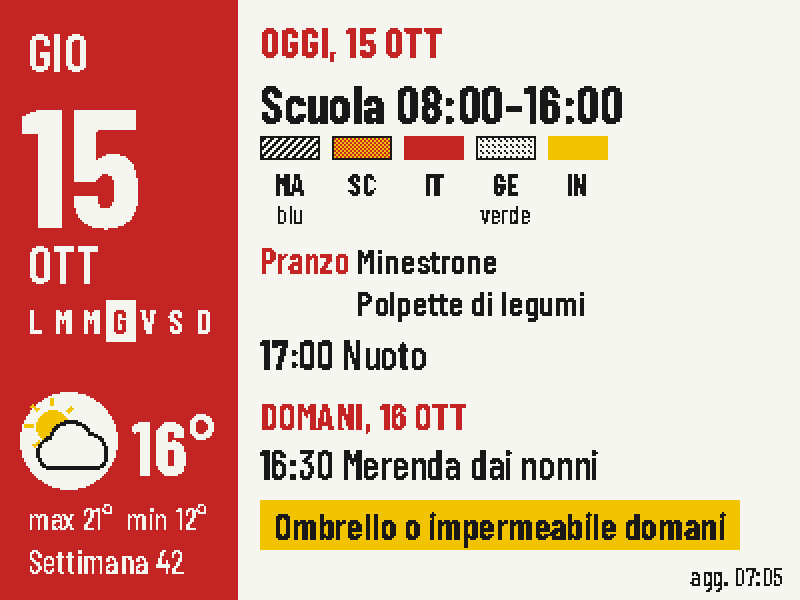
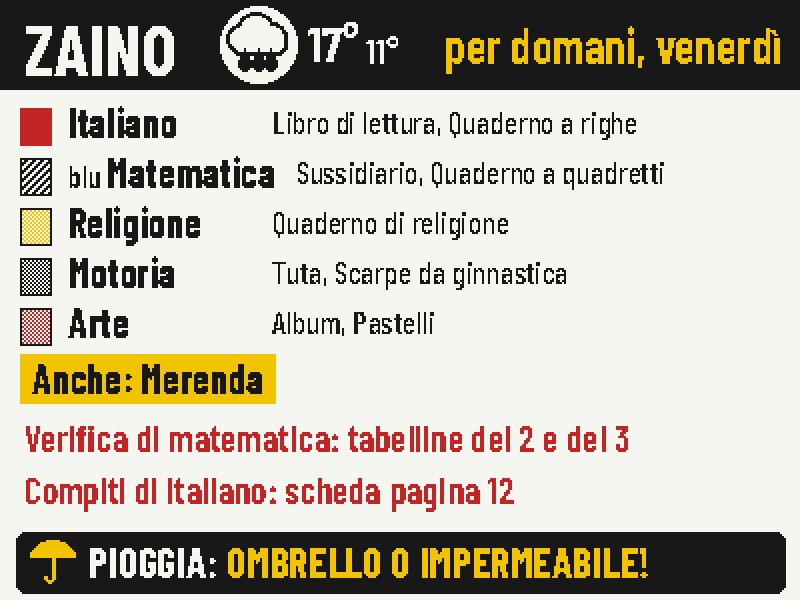
Zaino is a school dashboard for the four-color ZECTRIX NOTE4C Devkit. Its default schedule shows today's lessons and events, weather, and school lunch in the morning; a weekly timetable in the teachers' subject colors in the afternoon; and tomorrow's backpack items, homework, tests, and umbrella warning on the evening before school. A rest image can appear at night. The front button cycles through enabled pages such as lunch and weather; page order and viewing time are configurable.
NOTE4C has black, white, red, and yellow inks. Blue, green, and purple subjects use stripes or dots, with an optional color-name label. Each display can have a red, black, or yellow accent. Both the display and phone web app support Italian and English.
An always-on Docker server at home renders the 400 × 300 pages. The phone web app configures subjects, timetable, lunch, diary, iCal calendars, and time slots. The ESP-IDF 5.4 firmware is a thin client: it wakes, fetches the current page over Wi-Fi, skips a redraw when the ETag reports no change, and returns to deep sleep. It reuses Wi-Fi credentials saved by the NOTE4C reference firmware; its SSD2683 panel sequence also comes from that reference firmware, with credit in the repository.
Project sample screens (server-rendered 400 × 300 pages enlarged, with sample data; not device photographs):
Installation and data notice: NOTE4C only; do not flash this firmware to a monochrome NOTE4. It needs an always-on Docker host and 2.4 GHz Wi-Fi, with the home server URL included at build time. Before first installation, back up the complete 16 MiB flash, configure Wi-Fi using the NOTE4C reference firmware as documented, then install Zaino while retaining settings. The phone web app has no login by default; keep the server on a home network or VPN. The author says the project was built with Claude and iterated on a real device. This listing is based on the repository documentation and sample screens; we have not independently flashed or tested it.
License: GPL-3.0-or-later. Zaino is an independent community project, not official ZECTRIX firmware. Follow the repository's current instructions for installation and maintenance.
¶ NOTE4C Devkit × Tesserae
Author: varanu5 · NOTE4C
Connect the four-colour NOTE4C to Tesserae for photos, weather, to-dos and widget dashboards. Supports Local REST, Cloud and Relay, fetching images over Wi-Fi on a schedule, skipping unchanged images and sleeping between checks. Reviewed version: 1.2.1.
Requirements: Four-colour NOTE4C Devkit only · 2.4 GHz Wi-Fi · Tesserae service · Desktop Chrome / Edge · USB-C data cable
- Photos and widgets from a self-hosted Tesserae server, Cloud or Relay
- Phone-friendly Wi-Fi and service setup, scheduled wake-up and unchanged-image detection
- Front button for wake/refresh; lower side button sends right; upper side button is unused
- Native, 5-second and 10-second refresh modes; faster modes may reduce colour saturation
Setup and details: GitHub · Author guide · Developer page
Author web installer · v1.2.1 Release
License: AGPL-3.0-or-later; third-party components retain their own notices.
Installation: Use desktop Chrome or Edge and a USB-C data cable. Back up and verify your own Flash first. Fresh install clears settings; Update retains settings on compatible installations. The installer does not back up automatically. Connect to the setup hotspot, configure Wi-Fi and the selected Tesserae mode. This replaces firmware and is not the official NOTE4 local-push SDK.
Review boundary: Source, release and installer entry reviewed · Device flashing not tested (2026-11-02)
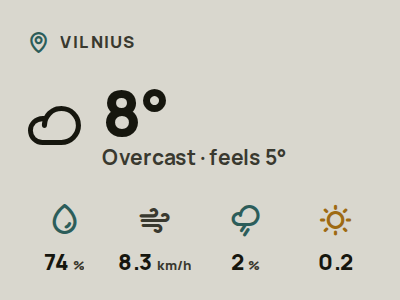
Preview reused from the Developer catalog; see its source and verification notes.